This article is for:
A dedicated SMS number is your business’ own unique phone number for SMS.
What you will learn:
Good to Know:
Note: Dedicated SMS numbers are designed specifically for communicating with your existing clients. You won’t see or know the actual phone number assigned, and it should not be published on your website or marketing channels. If someone who isn’t already an existing client sends a message to that number, the SMS will not be delivered.
Video:
Step by Step Instructions:
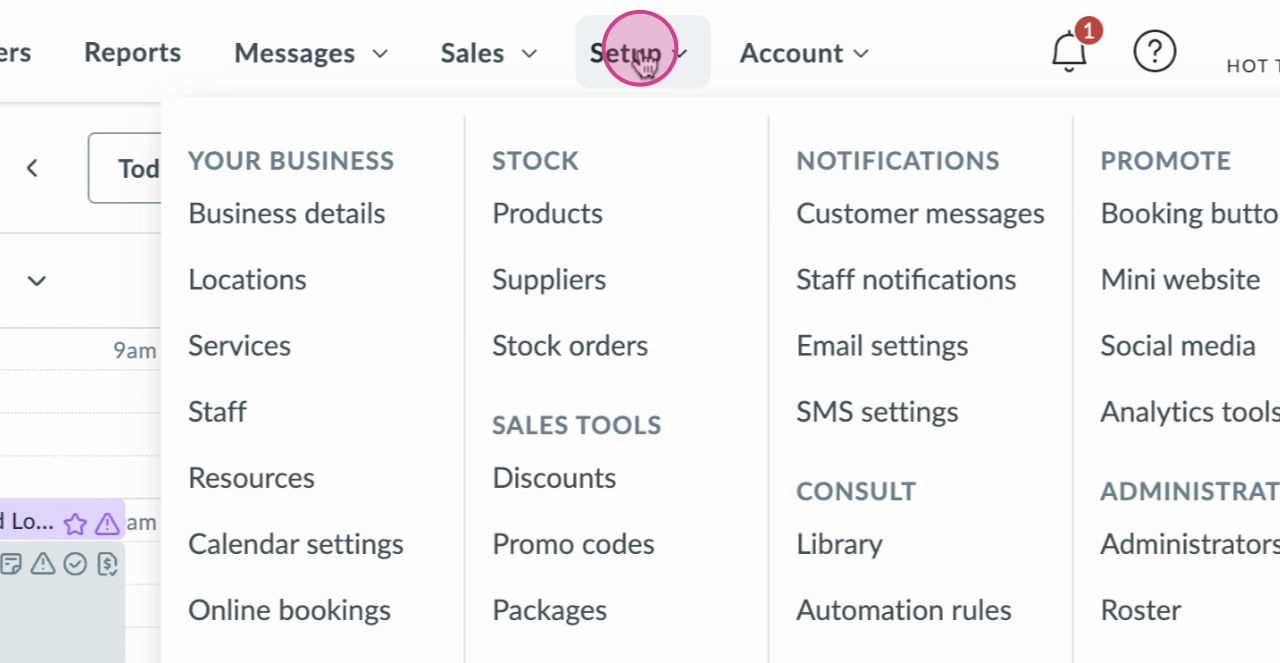
1 To request a dedicated number on the Innovate plan from your calendar, head to Setup
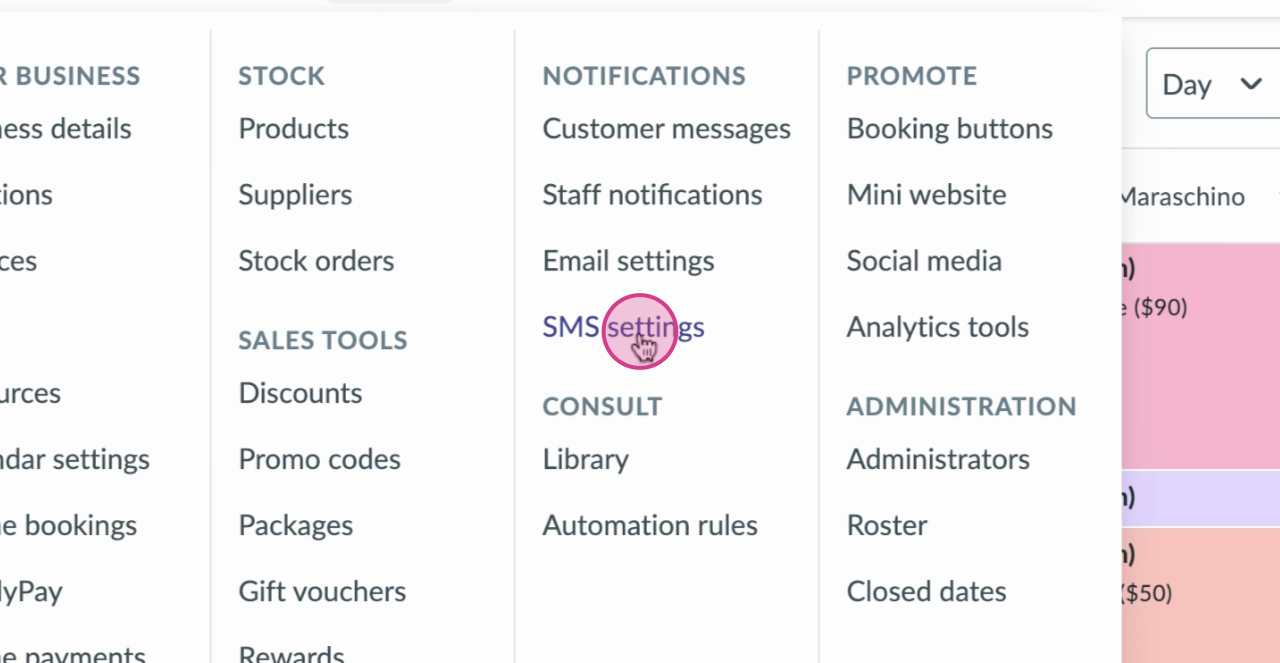
2 Click on SMS Settings
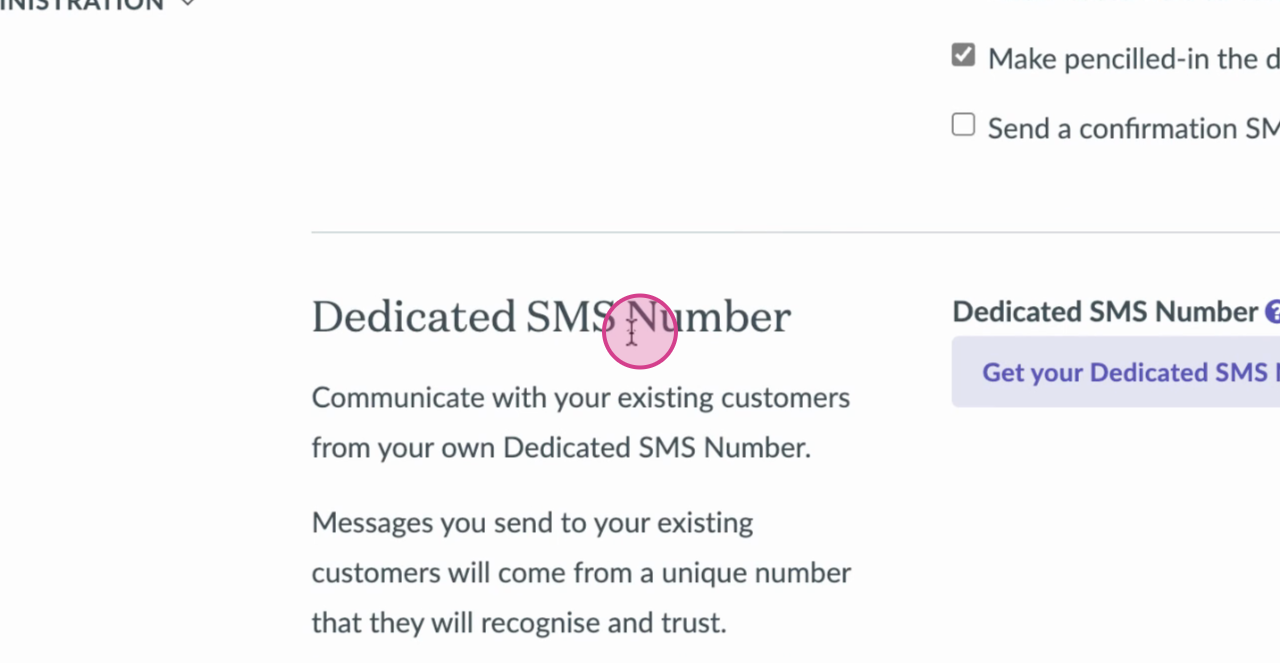
3 Scroll down to the dedicated SMS number.
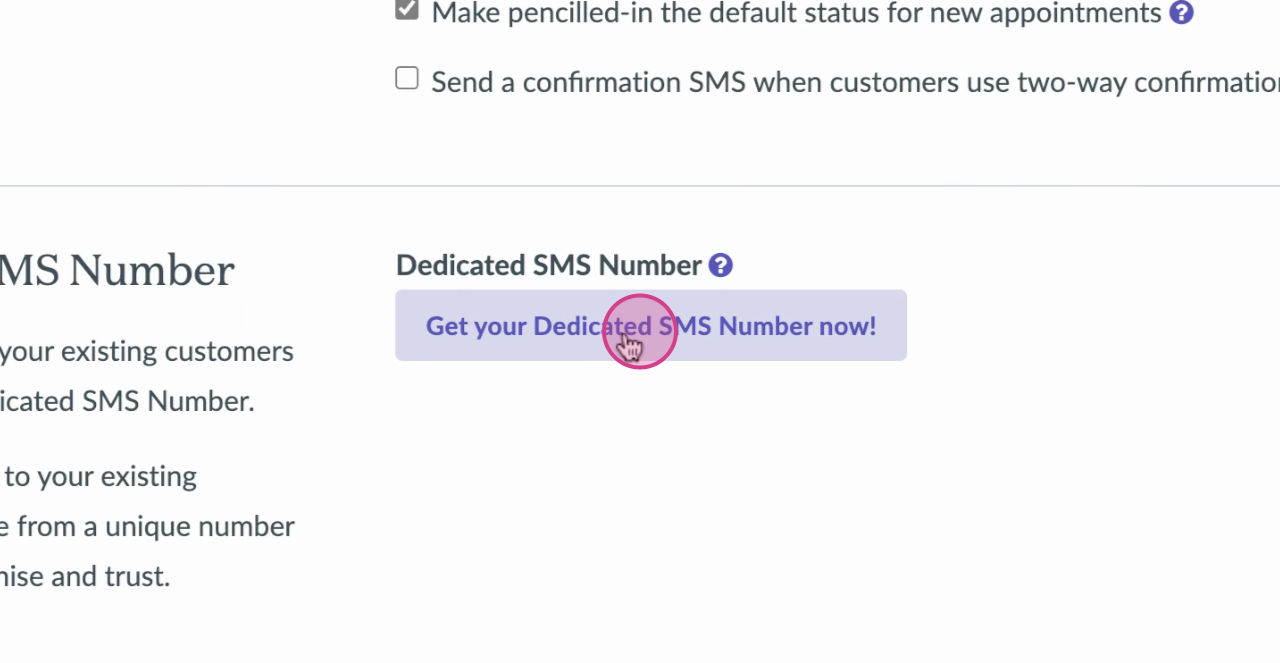
4 Click on "Get your dedicated SMS number now!" button
5 Once, completed you'll see a green confirmation box saying that you have a dedicated SMS number. You are now all good to go!
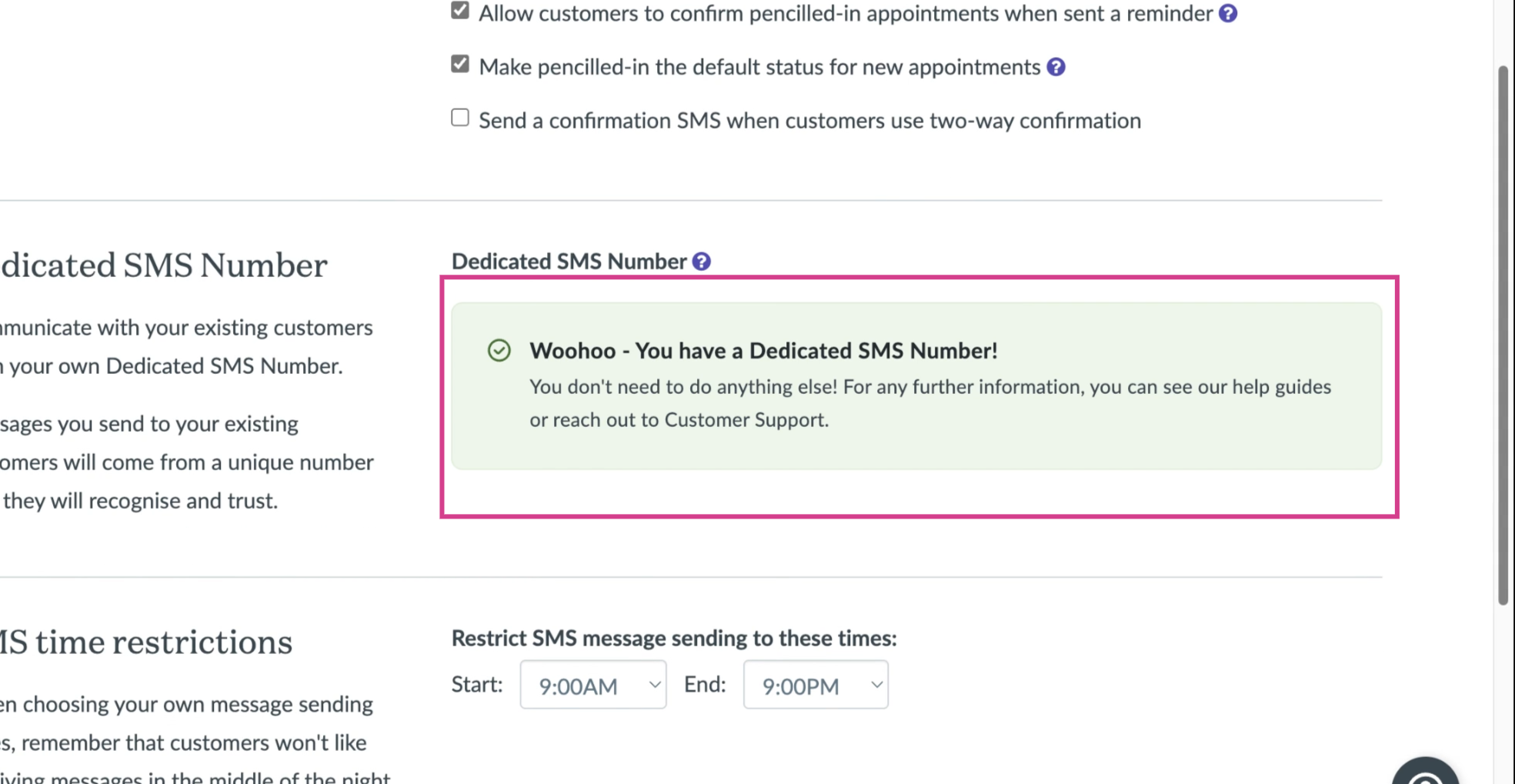
Do not refresh this page until you can see that confirmation message!
Note: If you want to deactivate your number later, you’ll need to contact our Support team.